LOCAL SKIRMISHSPACE + DRAG pan · SCROLL zoom · ALT + DRAG turn / tilt
PAUSEDClick anywhere or press P to resume
✦ A MYTHOLOGICAL STRATEGY GAME
THREE PATHS · ONE BATTLEFIELD
Maya Wars
✦
Build your sanctuary. Raise your army. Break the enemy.
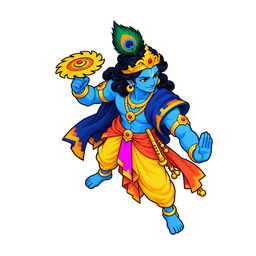
The PreserverOne commander. An army at his side.
CHOOSE YOUR PATH
Destroy the enemy sanctuary to win. Protect your own.
COMMAND YOUR ARMY
Controls & field notes
Selection & orders
Click Select a unit or structure
Drag Box-select your units
Shift Add to selection / queue 5 units
Double-click Select visible units of that type
Right-click Move, attack, harvest, or set rally
A Then click: attack-move
S Stop · FCV Hero powers
Ctrl + 1–9 Save group · 1–9 Select group
E Select combat units on screen · Tab all
Camera & economy
WASD / arrows Pan camera
Space + drag or middle-drag: pan
Scroll or − + Zoom · H Home
Alt + drag Turn and tilt the camera
[ ] Turn · PgUp PgDn Tilt · 0 Reset camera
Touch: two fingers pan, pinch to zoom, twist to turn. Three fingers up or down: tilt
P Pause · Esc Cancel / clear selection
B Build · T Train
R Repair a selected structure · hero ultimate
Build a Power Pavilion, then a Barracks. Click a ready structure to place it near your sanctuary.
Workers harvest automatically when trained. Right-click a gold deposit to change their field.
Every faction starts with a god hero. Heroes gain XP and levels from fighting. Vishnu: Parashurama becomes Rama at level 3 and Krishna at level 5; his aura protects nearby allies. Shiva: hits fill Shakti; press V to shift between Veerabhadra, Nataraja and Rudra. Vedic: call up to 3 gods at a time (Indra, Agni, Surya, Yama, Ashvins) from the citadel. Shiva Adepts meditate near the sanctuary. Vedic Priests ward the line; siege carts need a screen.
Dhvaja flags stand between the bases. Keep troops near a flag for 8 s to take it (a god hero takes it 2 times faster). If both sides stand there, capture stops. A flag gives its buff to your whole army and a trickle of Materials. Flags never win the game: break the enemy sanctuary to win.
Waves: once you have a Barracks, it sends free units every 40 s. They take the nearest flag you do not hold, then march on the enemy. Give them an order to lead them yourself. Spend Materials in the Citadel tab U to make every wave stronger. Enemy units that die near your hero pay 20% of their cost. You can have up to 5 workers.
The wilds: green rings mark Rakshasa camps. Demons there attack anyone who comes close. Clear a camp for 150 Materials and hero XP; it comes back after 75 s. At 4:00 Mahishasura, the buffalo demon king, wakes in his lair between the bases. Slay him for 350 Materials and Durga’s Blessing: +25% damage and 15% less damage taken for 90 s.
Your sanctuary fights back. It shoots nearby enemies. The first time it falls below half health, it makes a Last Stand: a shockwave hits and shoves enemies near it, and your fallen heroes return at once.
Hero kit: at level 3 every god gets an ultimate R. At levels 2 and 4, select your hero and pick a talent. Fallen gods return at the sanctuary by themselves after 10 s + 5 s per level.